

How to verify Xeno Executor download files: the quick answer
A file can have a familiar icon, a matching version number and a clean-looking page while still being a different artifact. Verification is a chain of small, checkable records.
First, do not open the download again just to see what happens. Keep the original file in place and write down where it came from, including every redirect you followed. Then record the exact filename, extension, byte size and the time you downloaded it. A page claim describes a source; it does not identify the bytes saved on your computer.
Next, calculate a SHA-256 hash for the exact file. Compare it only with a hash published by a source whose owner, release path and date you can trace. If the page has no hash, that is missing evidence, not a passing result. A hash can show that two copies are identical; it cannot prove that the publisher is trustworthy or that the program is allowed by Roblox.
Finally, inspect the archive and security results without disabling protection. A clean scan, an unsigned file or a familiar filename each answers only one question. This page keeps those signals separate so that a reassuring detail does not hide a broken source chain.
- Do not run a ZIP, EXE, loader or command from a video description while the source is unclear.
- Keep the original file and your evidence note together; do not rename the artifact to make it look official.
- Treat a missing hash, changed size or unexpected redirect as a reason to pause.
- Use a trusted, updated security product and follow its quarantine guidance.
- Do not enter Roblox, email or payment credentials while testing an unverified file.
Start with the source chain, not the filename
The first output of a Xeno Executor download verification is a traceable source record. A domain name or copied button is not enough. That source record is the first step in how to verify Xeno Executor download files.
Open the page that actually led to the file and write down its full address. Follow a redirect only far enough to identify the final host, then record both addresses. Note whether the page names a publisher, a release tag, a date and a platform. If the page sends you through advertising gates, a chat attachment or a shortened link, that extra hop becomes part of the risk record.
The public Xeno homepage at xeno.now was fetched on November 16, 2026. Its readable text described a free keyless executor but did not expose a verifiable current version or release note. That is a useful freshness result: it means this article should not call an unlabeled file “latest”. The repository page at xenoexecutorv2/xeno Releases showed a visible release dated December 1, 2025 and did not show an Android APK asset in the fetched release summary.
Keep those observations separate from the site's older Windows record. The PC page records a version 1.3.60 ZIP and its byte size from an August 7, 2026 check. That dated record can help you recognize the artifact that was reviewed then, but it does not turn a later redirect or replacement file into the same file. A new source URL, filename or size starts a new verification note.
- 1. Capture the entry pageSave the page URL, visible publisher name, displayed version and the date you checked it.
- 2. Trace the final hostRecord every meaningful redirect and the final file host. Stop when a page asks for a password, certificate or unexplained browser extension.
- 3. Match the platformConfirm that a Windows ZIP or EXE is not being presented as an Android APK, IPA or native Mac package.
- 4. Preserve the recordKeep a screenshot or text note of the source facts without exposing private usernames, tokens or recovery details.
Record the artifact before you inspect it
A useful file note lets you tell two similarly named downloads apart after a redirect, update or security alert. This record is central to how to verify Xeno Executor download files.
Write the exact filename, extension and byte count. Do not rely on the rounded size shown by a browser. If the download is a ZIP, note whether it contains one executable or several nested folders. If it is an EXE, record the file description and publisher fields shown by Windows. These details are identity clues, not proof of safety.
Use a stable date format and keep the source page beside the record. For example, a note can say: “Checked 2026-11-16; entry page xeno.now; final host unknown; filename Xeno-v1.3.60-3b3f825d.zip; size 7,124,803 bytes; hash pending.” Do not fill an unknown field with a guess. Missing data should remain visible because it changes the decision.
The Windows PC page explains the same discipline for its historical source record. It separates a file-location observation from a safety conclusion. That boundary matters when a search result copies a version number but serves a different archive.
| Source | Entry URL, redirect chain, final host and publisher claim |
|---|---|
| Identity | Exact filename, extension, byte size, version label and check date |
| Integrity | SHA-256 from the exact local file and a traceable comparison record |
| Behavior | Signature, archive contents, requested permissions and security alerts |
| Decision | Continue only when the important fields agree; otherwise isolate or stop |
Compare the hash and signature without overclaiming
Hash verification is powerful when the comparison value comes from a source you can trace, and limited when that value is copied from an unknown page. Use this step when you need to verify Xeno Executor download files.
On Windows, PowerShell can calculate a SHA-256 value with Get-FileHash -Algorithm SHA256 -LiteralPath .\your-file.zip. Replace the path with the exact local file and save the resulting hash in your note. Do not paste a password, recovery token or private path into a public chat while asking for help. Microsoft documents the command and its parameters in the Get-FileHash reference.
A match means that the local bytes match the published comparison string. It does not mean that the publisher is honest, that the source page was not compromised, or that the program is permitted by Roblox. A mismatch can come from a changed file, a truncated download or a copied hash, so stop and create a new source note instead of editing the filename or retrying blindly.
Check the digital signature when Windows exposes one, but record “unsigned” as a fact rather than an automatic malware verdict. Compare the signer, timestamp and file description with the release context. A signed file can still be unwanted, and an unsigned community artifact needs stronger provenance before you open it.
- Compare the complete 64-character SHA-256 string, not a shortened preview.
- Record where the comparison hash came from and when that page was checked.
- Treat a missing or mismatched hash as unresolved evidence.
- Do not turn a clean hash into a claim that the file is safe, official or undetected.
- Keep signature results separate from Roblox account and policy questions.
Inspect a ZIP or EXE safely
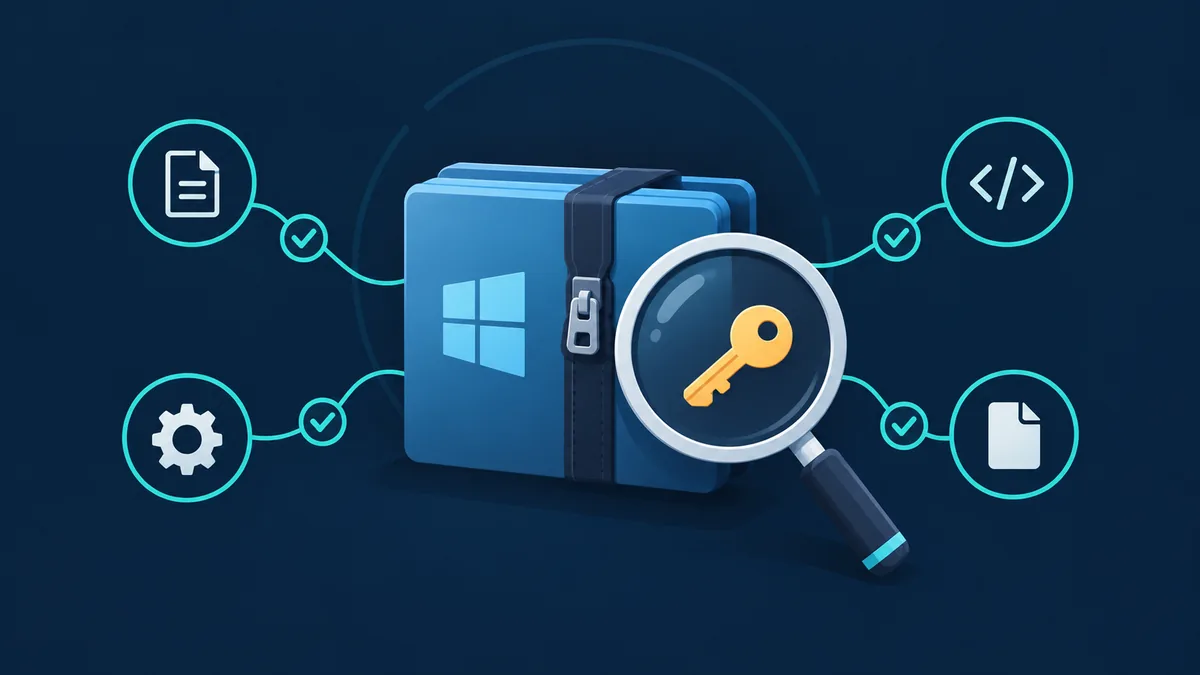
The archive itself can reveal a mismatch even when the page and filename look familiar. It is a required part of how to verify Xeno Executor download files before opening them.
Before extraction, use the file properties and your security product's scan option. Keep Windows protection enabled. A request to add a broad exclusion, turn off real-time protection or run a remote PowerShell command is a stop signal, not a setup step. If a page says that every detection is a false positive, look for a specific explanation and an independently traceable release record instead of dismissing the alert.
For a ZIP, inspect the directory listing without launching an executable. Look for unrelated installers, password prompts, browser extensions, scripts that download more code, or a file whose name and size disagree with the release note. For an EXE, review publisher, signature, description and requested elevation. Do not use a valuable Roblox account or a browser profile containing saved passwords for a first run.
A multi-engine scan is another signal, not a verdict. Record the service, scan date and detection names exactly. A detection can be a heuristic, a packed component or a real threat; the correct next step is to keep the file isolated and use the security vendor's guidance or a qualified technician.
- Keep it closedDo not double-click the file, run a bundled installer or follow a command copied from a chat.
- Scan in placeUse current trusted security software and preserve the result, including detection names and timestamps.
- Inspect the listingReview archive names, extensions and nested folders without launching unknown files.
- Review permissionsTreat unexplained admin prompts, certificates, exclusions and credential requests as stop signals.
- Separate the accountDo not sign in to Roblox, email or payment services from the test environment.
Decide what a clean, unknown or mismatched result means
The question “is Xeno Executor a virus?” cannot be answered from a product name or one scan badge. Use the result category to choose the next action when you verify Xeno Executor download files.
A clean scan means that the checked tools did not report a detection at that time. It does not prove that the file is harmless, that the source is official or that future versions will behave the same way. Keep the source, hash and scan date so the conclusion remains tied to one artifact.
An unknown result means that important evidence is missing: no traceable hash, no publisher identity, a conflicting size, an unsigned file with a weak source, or a page that demands risky changes. Unknown is not a reason to take a chance. Keep the file closed and look for a better first-party record or qualified review.
A mismatch or detection means stop. Quarantine the file according to the security product, preserve the alert details and do not upload private material to an unfamiliar scanner. If a password was entered, change it from a clean device and review sessions. Roblox's own Cheating and Exploiting policy is a separate account-policy source; a policy violation and a malware finding are not the same claim.
| Evidence agrees | Continue only to a controlled review; keep the note and do not promise safety. |
|---|---|
| Evidence is missing | Pause, keep the file closed and seek a traceable source or expert review. |
| Hash or source conflicts | Isolate the artifact and do not replace the record with a guessed version. |
| Credentials were exposed | Use a trusted device to change the password, sign out unknown sessions and protect the recovery email. |
What to do after a suspicious download
If the file was never opened, leave it closed, preserve the record and let trusted security software assess it. If it ran, disconnect the risky workflow, follow the scanner's quarantine instructions and ask a qualified technician when alerts repeat or the device is managed by a school or employer. Do not delete unrelated Windows folders or run a cleanup script whose changes you cannot explain.
If a password, cookie or recovery detail was entered, use a clean trusted device to change the affected password, update any reused password and review account sessions. Never send a recovery code to someone who contacts you first. After the device and account checks, document what changed so a later support request has useful facts rather than a guess about the file name.
For future downloads, repeat the same process. A new version, redirect, filename or file size is a new artifact. The goal of Xeno Executor download verification is a transparent decision record, not a permanent approval. That is why how to verify Xeno Executor download files remains a repeatable checklist rather than a one-time badge.
Frequently asked questions
How do I verify a Xeno Executor download before opening it?
Keep it closed, record the source and final URL, filename, byte size and check date, calculate SHA-256, compare it with a traceable publisher record, inspect the archive and preserve security results. Stop when important fields conflict.
What if the Xeno Executor page does not publish a SHA-256 hash?
Treat the hash as unavailable. A missing comparison value is not a match. Keep the file closed and look for a release record whose owner, artifact and hash can be traced, or ask a qualified professional to review it. This is a core rule in how to verify Xeno Executor download files.
Does a clean scan prove that Xeno Executor is safe?
No. A clean result is tied to one file and one scan date. It does not prove publisher identity, future behavior, Roblox permission or the safety of a different download with the same name.
Should I disable Windows Defender when Xeno is detected?
Do not disable protection just because a download page calls a detection a false positive. Record the detection, keep the artifact isolated and follow trusted security guidance. A broad exclusion is a stop signal.
Is a Xeno Executor ZIP on GitHub automatically official?
No. GitHub proves that an account and release record exist. Compare the complete owner, repository path, release history, asset name, size and source links before treating it as a traceable record.
What should I do if I entered my Roblox password?
From a clean trusted device, change the password, update any reused password, review sessions and contact Roblox Support for unfamiliar changes. Do not share a password or recovery code with an unsolicited contact.